






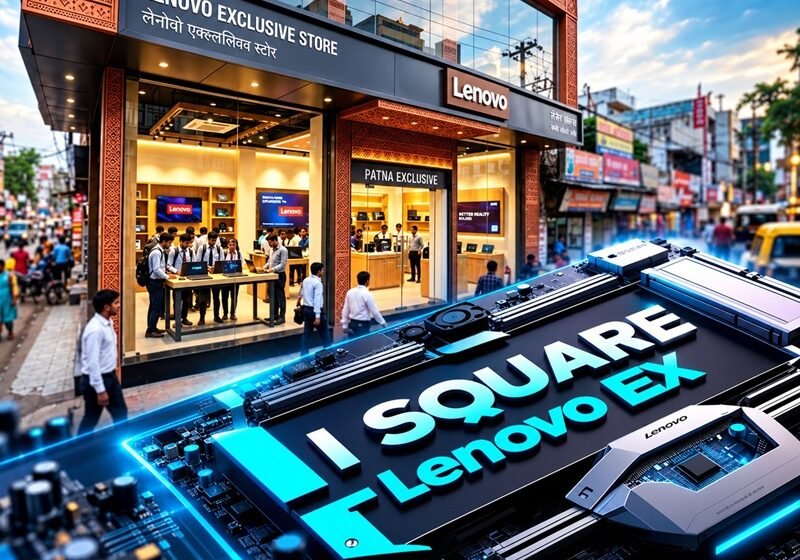

Quick answer: I Square – Lenovo Ex is not a product, laptop, or corporate partnership. It’s the official name of a Lenovo Exclusive Store located on S P Verma Road in Patna, Bihar. “LES” stands for Lenovo Exclusive Store, “EX” means Exclusive, and “I Square” is the store’s own name. If you’re searching for this term, you’re likely looking for store hours, address, offers, or which Lenovo laptop to buy there.
If you’ve searched “I Square – Lenovo Ex” and landed on a blog calling it a smart classroom partnership or an exciting new laptop line, you’ve been misled. You’re not alone — this mix-up shows up across the web because the name sounds like it could be a product launch. It isn’t.
This guide with Chasale clears up the confusion and gives you what you actually need: where the store is, what you can buy there, how the offers work, and what to check before you hand over your money.
So What Does “I Square – Lenovo Ex” Actually Mean?
Break the name into its three parts and the confusion disappears fast.
- LES — Lenovo Exclusive Store, a retail format Lenovo runs through local partners
- EX — short for Exclusive
- I Square — the specific store’s name
Put together, you get “LES ~ S P Verma Road – I Square,” which is exactly how Lenovo lists it on its own website. An exclusive store sells only Lenovo products — so you won’t find an HP or Dell sitting on the shelf. In exchange, you get to see most of Lenovo’s current lineup in one place, from budget IdeaPads to Legion gaming rigs — so you can compare models side by side instead of hopping between shops.
Store Snapshot
Here’s everything in one place, so you don’t have to dig through multiple listings.
|
Detail |
Information |
|---|---|
|
Official name |
LES ~ S P Verma Road – I Square |
|
Address |
S P Verma Road, opposite Samridhi Complex, Old Jakkanpur, Lodipur, Patna, Bihar |
|
Store hours |
10:00 AM to 8:00 PM |
|
Products |
Laptops, desktops, tablets, monitors, accessories |
|
Services |
4-hour delivery, self checkout, store pickup, repair services |
|
Payment |
Credit card, debit card, EMI, UPI, cash |
For the current phone number and stock availability, check Lenovo’s official store listing directly. Phone numbers change more often than addresses, so that’s your most reliable source.
Why Is This Store on S P Verma Road?
S P Verma Road is basically Patna’s laptop street. ASUS runs several exclusive stores along it, Acer opened its first Patna store here, and Lenovo picked the same stretch for its first Patna smart devices outlet.
That clustering works in your favor. You can check a Lenovo IdeaPad at I Square, then walk a few doors down to compare an ASUS Vivobook — so you can make a decision the same afternoon instead of crossing the city twice.
Landmark to remember: the store sits opposite Samridhi Complex in Old Jakkanpur. Share that location pin with your driver rather than just the store name, since several brand stores share this stretch of road.
Which Lenovo Laptop Should You Buy at I Square?
Lenovo’s catalogue is huge, and walking in without a shortlist is how people end up overspending. Here’s how the main series map to real buyers.
- School students and coaching aspirants — The IdeaPad Slim 3 (roughly ₹35,000 to ₹70,000) handles lectures, notes, and browsing without draining your budget.
- Engineering and coding students — The IdeaPad Slim 5 or LOQ (roughly ₹70,000 to ₹90,000) gives you more RAM and a stronger processor for compiling code or running CAD software.
- Gamers — The LOQ (from about ₹71,000) or Legion (RTX 5060 configs near ₹1.8 lakh) come with dedicated NVIDIA graphics — so your frame rates stay smooth.
- Creators and premium users — The Yoga series offers slimmer builds and often OLED screens.
- Office and small business use — ThinkPad and ThinkBook models bring durable keyboards and business-grade security.
Choose based on what you’ll actually run, not just the price tag. A student who mostly streams lectures and writes notes doesn’t need a gaming GPU. An IdeaPad Slim 3 with 16 GB RAM covers that comfortably, leaving room in your budget for accessories. An engineering student running MATLAB or AutoCAD should look at 16 GB RAM minimum, which is where the LOQ starts making sense.
One pricing note worth knowing: RAM and SSD prices have climbed this year due to rising chip demand. If a 16 GB configuration looks pricier than what a friend paid last year, that’s the industry trend — not the store marking things up.
Do You Actually Need an “AI PC”?
Some newer Lenovo models, like the Snapdragon-powered IdeaPad Slim 5x, carry an “AI PC” label. These include an NPU, a chip built to run AI features directly on the device instead of sending your data to a server.
Here’s the honest take: an NPU is a nice-to-have, not a must-have. For most students and office users, 16 GB RAM and a 512 GB SSD will change your daily experience far more than any AI branding on the box.
What Services Does the Store Offer?
Lenovo’s listing highlights four services that set this store apart from a regular electronics counter.
- 4-hour delivery — order online and get your unit from a nearby store fast
- Self checkout for quick purchases
- Store pickup — order on Lenovo’s site, then collect in person
- Repair services for Lenovo devices
Payment is flexible too — credit cards, debit cards, EMI, UPI, and cash are all accepted. Lenovo also advertises a free bag with every PC purchase at its exclusive stores, along with rotating cashback offers.
One distinction worth knowing: repairs and warranty claims aren’t always the same thing. The store can help with repairs, but formal warranty claims run through Lenovo’s official support system. Before you make a trip with a faulty device, run a quick check on Lenovo’s warranty lookup page and ask staff whether your issue gets handled in-store or routed elsewhere.
How Do the Store Offers Actually Work?
Offers are where buyers either save real money or walk away confused. Here’s how each one plays out in practice.
Exchange offer: Bring your old laptop with its charger. The value depends on its age and condition — a five-year-old laptop with a cracked hinge fetches far less than a three-year-old one in clean shape. Get the exchange value in writing before finalizing your new purchase, so the discount doesn’t shrink at the billing counter.
Student discount: Carry your college ID card. Ask the staff directly whether the in-store student price beats Lenovo’s online Education Store pricing — sometimes it does, sometimes it doesn’t.
EMI options: “No-cost EMI” means the interest gets absorbed through a discount, but banks may still add a processing fee. On a ₹60,000 laptop split over six months, that’s ₹10,000 a month — but your total payable amount could be slightly higher once fees are added. Always ask for the total payable figure, not just the monthly number.
Store vs. Online: Which Should You Choose?
|
Factor |
I Square store |
Lenovo.com |
Amazon / Flipkart |
|---|---|---|---|
|
Hands-on demo |
Yes |
No |
No |
|
Delivery speed |
Same day if in stock |
A few days |
Fast in big cities |
|
Exchange of old laptop |
Yes, assessed in person |
Limited |
Program-based |
|
Bundles |
Often negotiable |
Fixed |
Seller-dependent |
Visit the store if you want to feel the keyboard, compare screens side by side, trade in an old device, or need your laptop today. Buy online if you already know your exact model and a sale price is clearly lower. Many buyers do both — shortlist in-store, compare prices online, then decide.
Your Pre-Visit Checklist
A few minutes of prep can save you a second trip.
- Decide your budget and the two or three tasks your laptop must handle
- Bring ID proof for billing and EMI paperwork
- Bring your college ID if you want student pricing
- Bring your old laptop and charger if you’re planning an exchange
- Have your card ready if you want card-based EMI
- Prepare questions on warranty length, accidental damage cover, and whether Windows and MS Office come pre-activated
After You Buy: Don’t Skip These Steps
This is the part most buyers rush through, and it’s where problems hide later.
- Match the serial number on the box, the laptop’s underside, and the invoice — all three should match.
- Check your warranty using the serial number on Lenovo’s warranty lookup page.
- Review your invoice for GST details, model number, and serial number.
- Activate Windows and MS Office on day one, signing in with your Microsoft account so the license stays tied to you.
- Run Lenovo Vantage updates to grab the latest BIOS and drivers.
- Turn on battery conservation mode in Lenovo Vantage if your laptop stays plugged in most of the day — it caps the charge level and helps your battery last longer over time.
A clean setup now means a faster laptop later. Uninstall any trial software you won’t use before you start loading your own files.
Clear Up the Confusion, Then Make Your Move
I Square – Lenovo EX isn’t a product, and it isn’t a partnership — it’s a real store on S P Verma Road in Patna where you can touch, compare, and buy an actual Lenovo laptop. Once you know that, the rest is just good shopping practice: shortlist your model, confirm the store’s hours and offers before you leave home, and run through the after-purchase checklist once you’re home with your new device.
Frequently Asked Questions
Is I Square – Lenovo Ex a laptop model?
No. It’s the name of a Lenovo Exclusive Store on S P Verma Road in Patna. Lenovo doesn’t sell any laptop called “Lenovo EX.”
Where exactly is the I Square Lenovo store in Patna?
It’s on S P Verma Road, opposite Samridhi Complex, in the Old Jakkanpur and Lodipur area of Patna, Bihar.
What are the store’s opening hours?
Lenovo’s listing shows 10 AM to 8 PM. Hours can shift on public holidays, so call ahead or check Google Maps before a long trip.
Does the store offer EMI?
Yes. EMI sits alongside cards, UPI, and cash as a payment option. Ask for the total payable amount, including any processing fee, before you sign anything.
Can I exchange my old laptop here?
Yes, the exchange offer is available, but the value depends on your device’s age and condition. Bring the laptop and charger for an in-person assessment.
Is buying from this store cheaper than Amazon?
Not always. Online sales sometimes undercut store prices on specific models, while the store can offer value through exchange deals, bundled accessories, and same-day pickup. Compare your final price, not just the sticker.
Can I get repairs done at I Square?
Repair services are listed for this store. For formal warranty claims, run a Lenovo warranty check online first and confirm with staff where your claim gets processed.



[…] What Is I Square – Lenovo EX? Patna’s Lenovo Store Explainedby Aarav KashyapOctober 16, 2026 […]